Cloud & Data · Aug 13, 2026 · 12 min read
Unity Catalog on Azure Databricks: From Workspace Silos to Governed Data
A practical implementation and migration guide for designing identity, storage, catalog, workspace, and access boundaries before onboarding production data.
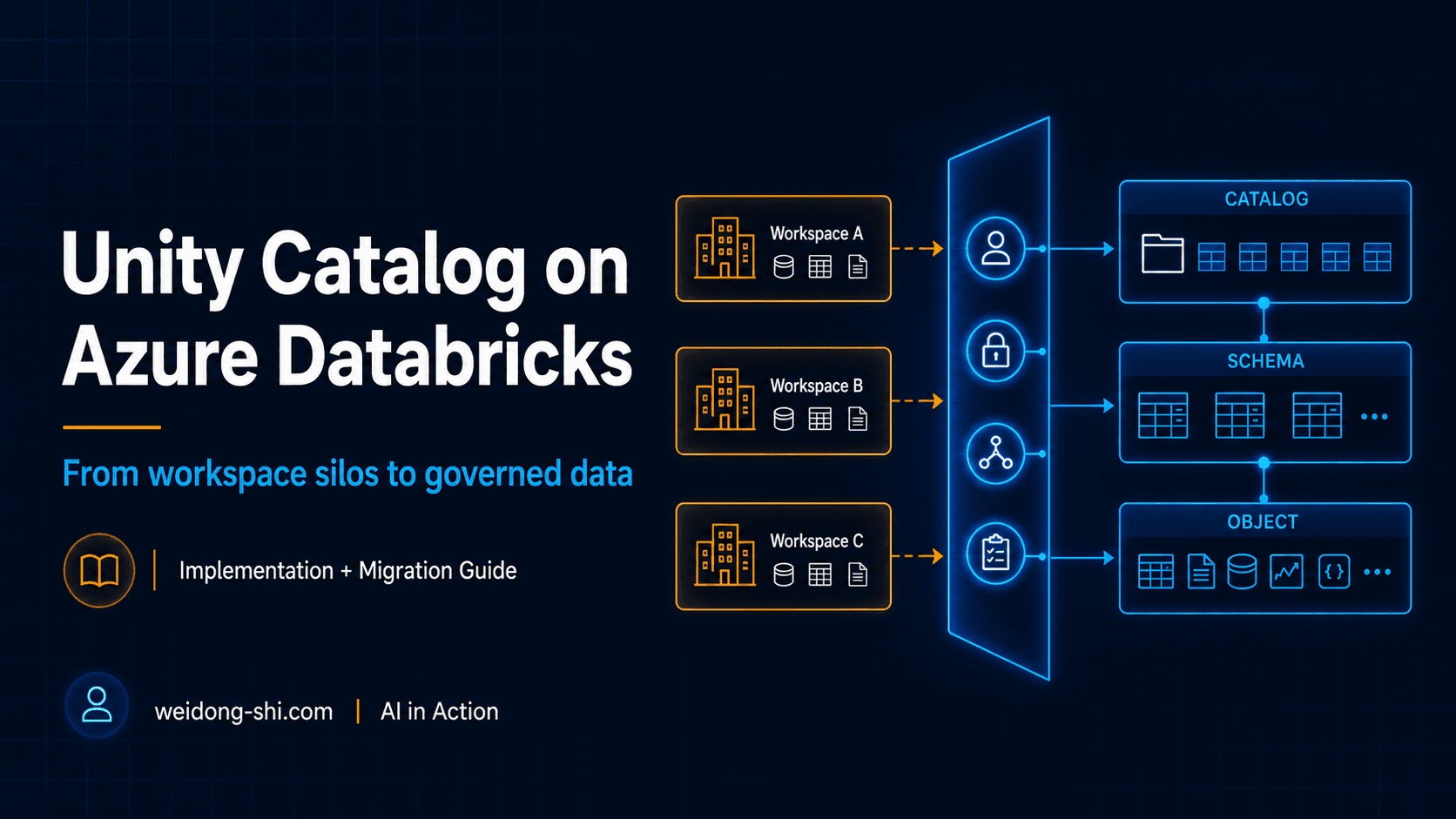
Your development workspace may be able to read production data. Unity Catalog did not block it. By default, catalogs can be accessible from every workspace attached to the same metastore, subject to privileges.
Many teams enable Unity Catalog and assume data governance is now solved. It is not.
Enabling the feature gives you a governance platform. The real work is designing how Microsoft Entra ID identities, Azure Databricks workspaces, ADLS Gen2 storage, catalogs, schemas, and privileges fit together.
When those decisions are made independently, teams often end up with inconsistent naming, excessive access, duplicated storage credentials, and production data visible from the wrong workspace. Designed as one system, Unity Catalog becomes a common governance layer for data and AI assets across Azure Databricks workspaces.
Start with the right mental model
Unity Catalog sits between users and workloads on one side and data and AI assets on the other. It governs objects through a three-level namespace: catalog.schema.object. For example, finance_prod.curated.customer_revenue.
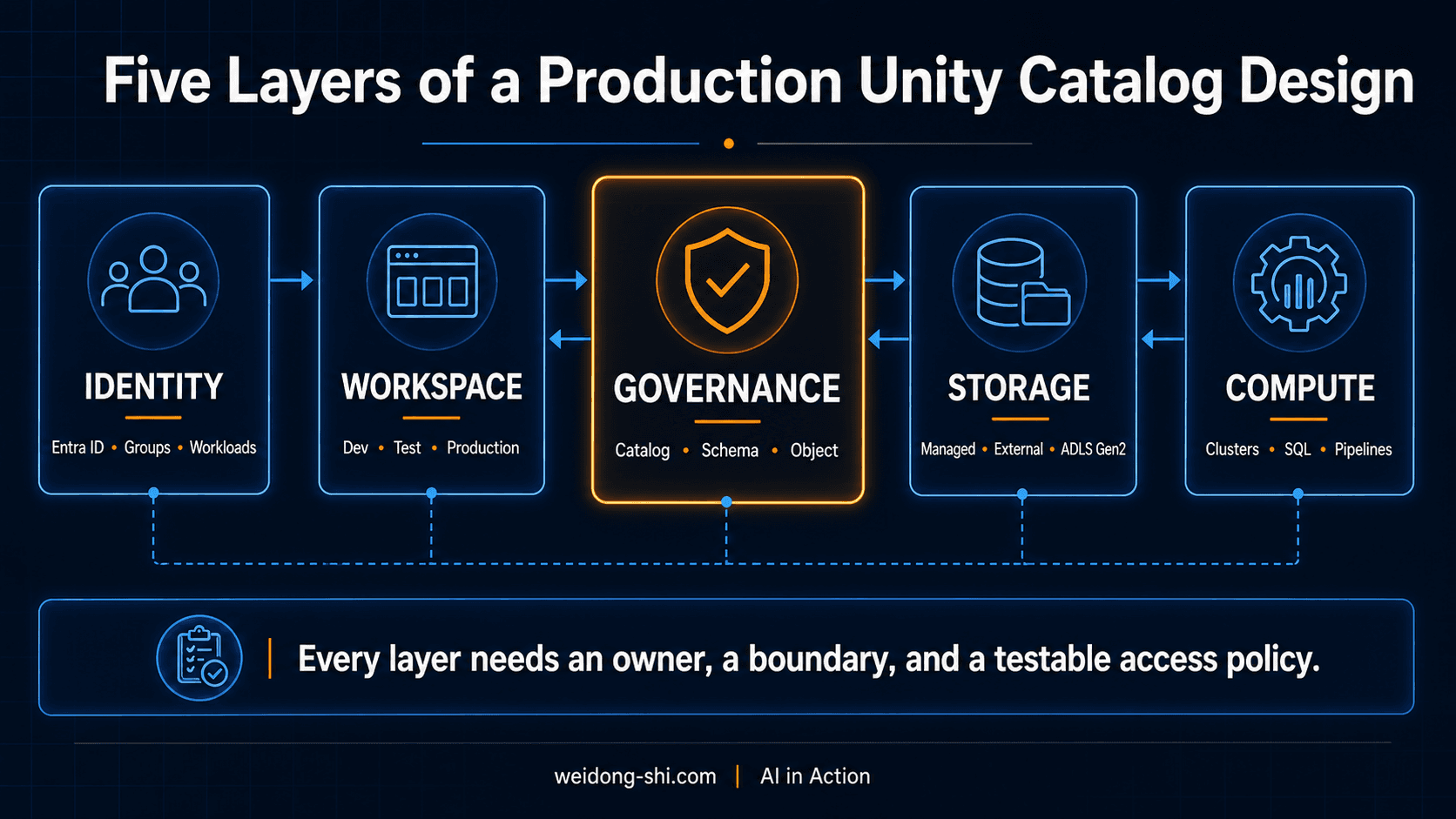
The namespace is only one part of the architecture. A production design must align five layers:
- Identity — Microsoft Entra ID users, groups, service principals, and managed identities
- Workspace — where engineers, analysts, and automated workloads operate
- Governance — metastores, catalogs, schemas, ownership, and privileges
- Storage — managed storage and external ADLS Gen2 locations
- Compute — clusters, SQL warehouses, jobs, and pipelines that enforce Unity Catalog controls
The most common implementation mistake is configuring these five layers separately.
Implementation path
1. Define governance boundaries before creating catalogs. In Azure Databricks, each region requires its own Unity Catalog metastore. The catalog is normally the primary isolation boundary; the schema organizes related assets inside it. Use catalogs for boundaries that need distinct ownership, storage, workspace access, or lifecycle controls.
2. Build the identity model around groups. Administer Unity Catalog through account-level identities synchronized from Microsoft Entra ID. Grant production privileges to groups, not individuals. Production catalogs and schemas should be owned by groups, not by the person who created them.
3. Connect ADLS Gen2 without distributing secrets. Prefer an Access Connector for Azure Databricks with a managed identity. Scope Azure RBAC and Unity Catalog privileges by responsibility. Validate networking early — storage firewalls, private endpoints, DNS, and region alignment fail more deployments than naming debates.
4. Choose managed and external data intentionally. Start new workloads with managed tables. Treat external locations as controlled integration boundaries. Direct access to underlying storage can bypass Unity Catalog controls, auditing, and lineage.
5. Apply least privilege through the hierarchy. Privileges inherit downward. A consumer generally needs USE CATALOG, USE SCHEMA, and object-level SELECT — not ownership or ALL PRIVILEGES to unblock a pipeline. Azure RBAC controls the storage resource; Unity Catalog controls governed data objects. You need both.
6. Bind production catalogs to production workspaces. By default, catalogs can be accessible from every workspace attached to the same metastore, subject to privileges. Workspace-catalog bindings constrain where granted access can be exercised. They do not replace grants; they are defense in depth.
7. Standardize compute, then run negative tests. Do not validate only the happy path. Prove that a development workspace cannot reach production data, and that a user cannot bypass Unity Catalog by reading an ADLS path directly.
8. Operationalize lineage, audit, and ownership. Governance is not complete when the first table is registered. Review privileged groups, unused grants, storage credentials, workspace bindings, and break-glass access on a cadence.
Migrating workspace silos
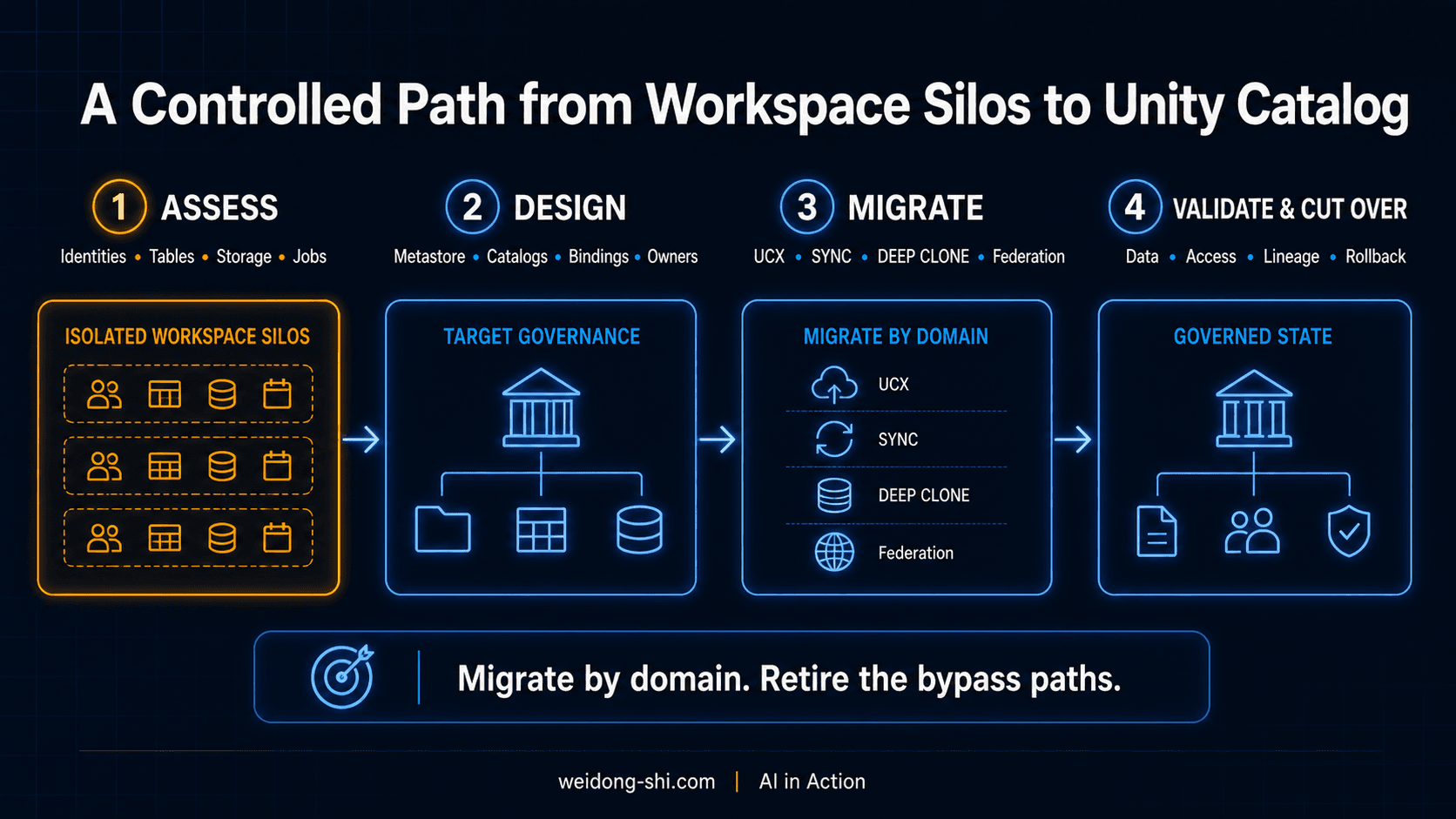
Many Azure Databricks estates were built before Unity Catalog. Each workspace became an island: a local Hive metastore, local groups, DBFS mounts, embedded credentials, and duplicate table definitions. Moving to Unity Catalog is not a metastore upgrade. It is a shift from workspace-centric governance to account-level identity and metastore-level governance.
Starting September 30, 2026, new Azure Databricks workspaces will be provisioned without several legacy features, including DBFS root and mounts, the Hive metastore, no-isolation shared clusters, and Databricks Runtime versions earlier than 13.3 LTS. Existing workspaces are not forced to migrate on that date. It is a signal that landing zones and CI/CD should stop depending on the workspace-local model.
The migration principles that carry the most weight:
- Inventory identities, objects, storage paths, workloads, compute, and permissions before attaching a workspace to the target metastore.
- Design one regional metastore strategy and map every source workspace to target catalogs. Do not recreate the same silos inside Unity Catalog.
- Consolidate to account-level Entra ID groups before translating grants. Separate human identities from workload identities.
- Replace mounts and embedded secrets with Access Connectors, storage credentials, external locations, and volumes.
- Choose the table method by type: UCX for complex estates,
SYNCor the upgrade wizard for external coexistence,DEEP CLONEfor managed Delta targets, Hive metastore federation for tightly coupled transition. - Refactor workloads, not just metadata: three-part names, governed paths, and compatible access modes.
- Cut over by domain, then retire bypass paths — obsolete mounts, stale workspace-local groups, and direct ADLS access.
Common mistakes
- Treating Unity Catalog as a UI configuration task
- Reproducing the storage folder hierarchy as the catalog hierarchy
- Granting production privileges directly to users
- Making individual engineers owners of production objects
- Giving consumers access to external locations instead of
SELECTon tables or views - Assuming separate workspaces automatically isolate data without bindings
- Ignoring direct storage access that bypasses governance
- Migrating everything before piloting the operating model
The architectural takeaway
Unity Catalog succeeds when it is implemented as an operating model — not merely enabled as a platform feature. The strongest designs connect identity → workspace → catalog → data object → storage, with an explicit owner, boundary, and testable access policy at every layer.
- Design governance boundaries before naming catalogs.
- Grant access to groups and workloads, not individual people.
- Prefer managed identities over stored credentials.
- Use managed tables by default and external locations deliberately.
- Validate isolation with negative tests — not assumptions.
The feature is the starting point. The architecture and operating discipline around it determine whether governance will scale.
How is your organization structuring Unity Catalog: by environment, business domain, or both?
The LinkedIn article includes least-privilege SQL examples, the full migration-method matrix, and production-readiness checklists.