Decision-Support Application · 2026 · Live
RetireCheck
People need a credible “will my money last?” answer without advisor-grade onboarding friction.
Problem worth solving
People approaching retirement need a credible answer to one question: will this plan last? Advisor-grade tools are heavy; spreadsheets hide assumptions. RetireCheck gives a structured decision-support path without accounts, paywalls, or advice claims.
Intended user
US pre-retirees and planners exploring Social Security claiming ages, portfolio longevity, taxes, RMDs, and Medicare IRMAA context — people who want clarity before they talk to an advisor, not a substitute for one.
Constraints that shaped the solution
- Domain math must be correct and testable — not UI-owned
- No sign-up friction; estimates must carry clear disclaimers
- Deployable monorepo: Next.js frontend + .NET calculation API
- Production CI — not a demo that stops at happy-path UI
Architecture decision
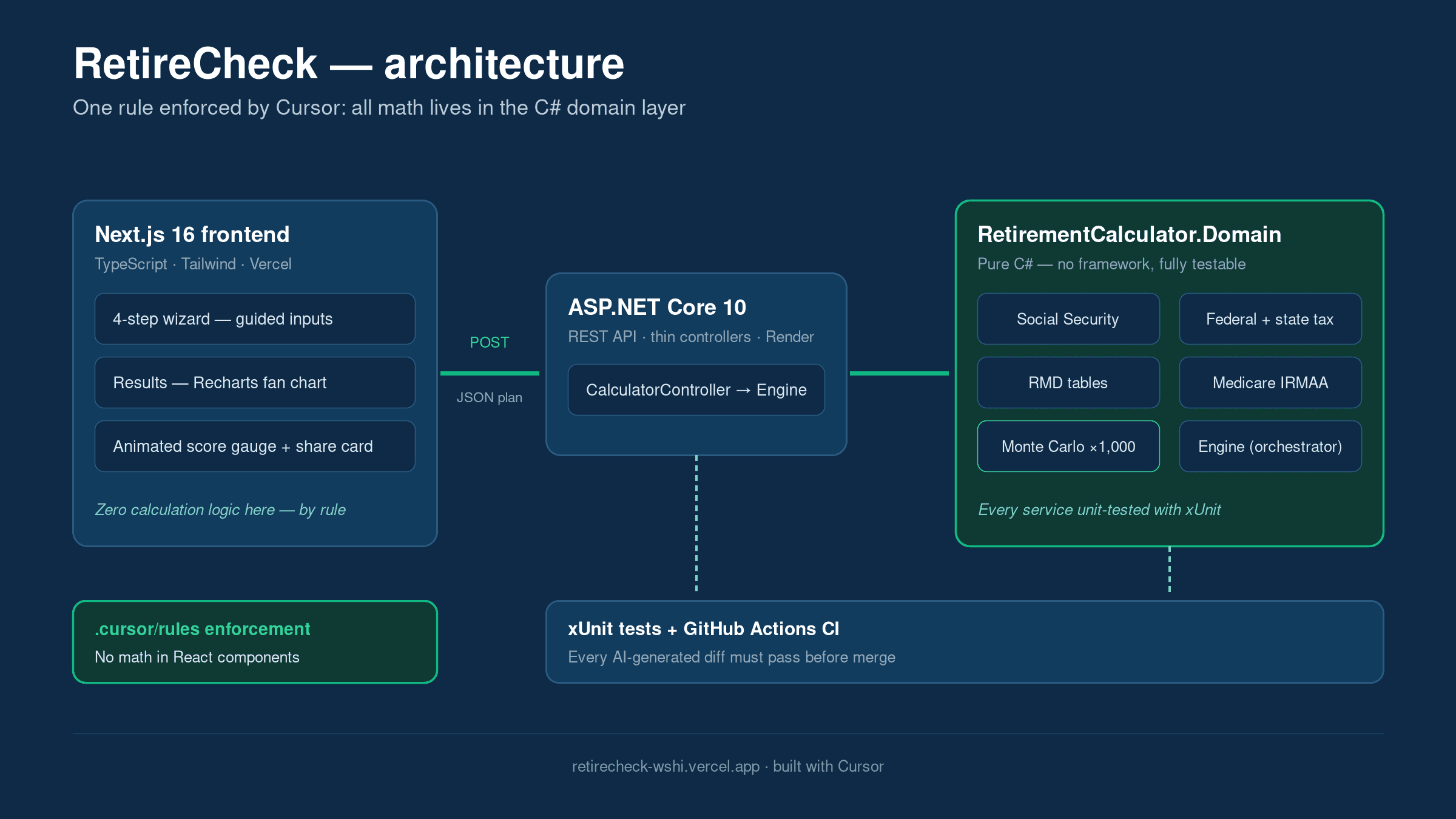
Financial math lives in a pure C# domain layer. An ASP.NET Core API exposes that domain. Next.js owns the wizard UX and charts, and proxies to the API so the browser never talks to calculation code directly. Tests sit against the domain and API — not only the UI happy path.
Governing rule: all math lives in the C# domain layer — never in React components or controllers.
Tradeoffs
- Accepted: two runtimes (Node + .NET) for a clean domain boundary
- Rejected: putting Monte Carlo or tax logic in the browser
- Delayed: accounts, saved plans, and advisor workflows until evidence justifies them
- Excluded: financial advice, recommendations that imply fiduciary guidance
How AI was used — and what stayed human
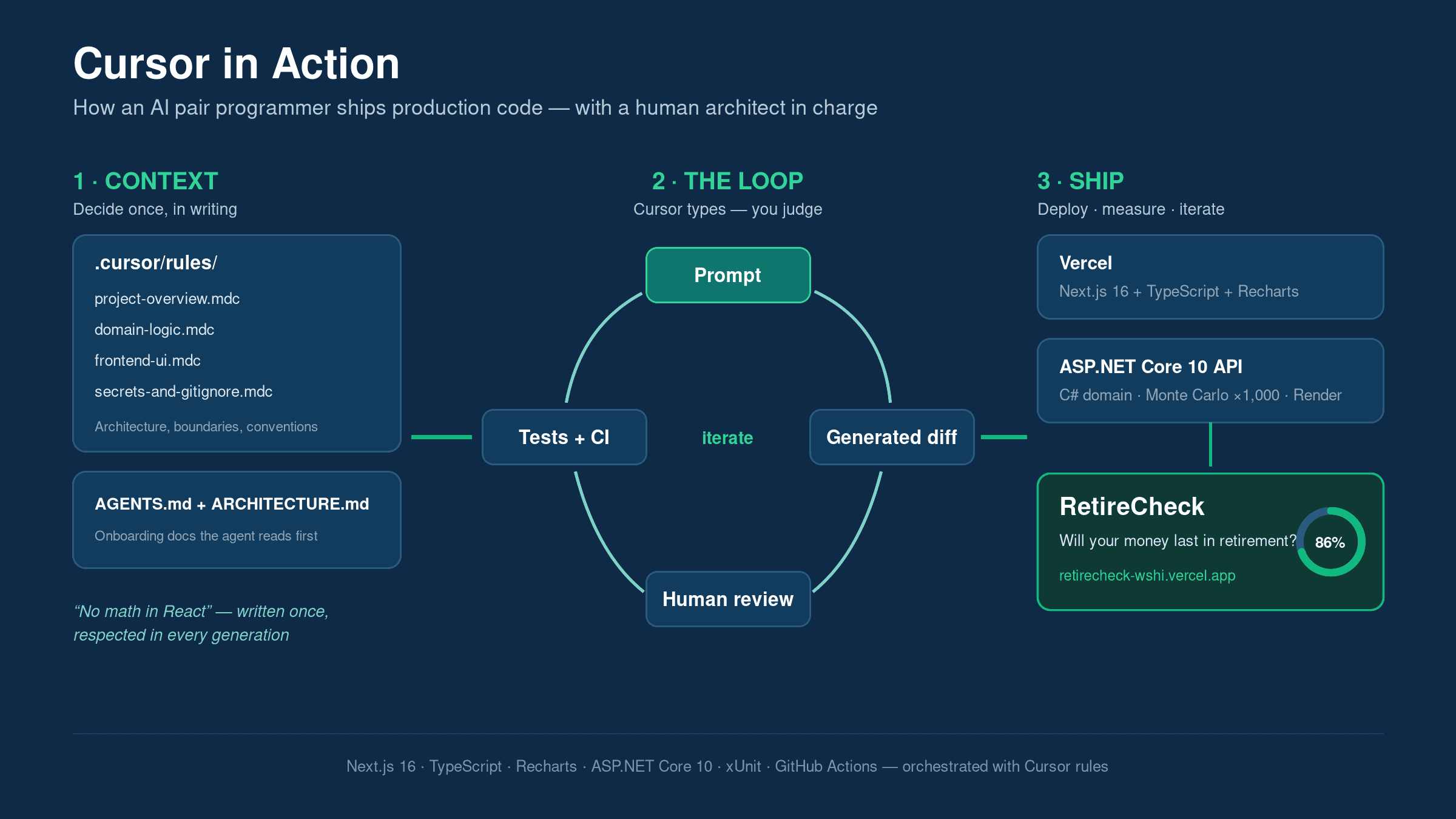
Cursor accelerated UI scaffolding, charts, and boilerplate under written project rules. Human judgment owned domain boundaries, test strategy, disclaimers, deployment topology, and what never to ship. Speed was not the achievement — correctness and production readiness were.
Privacy, security, correctness, accessibility
- No account required; inputs are session-scoped for calculation
- Calculation API isolated behind Next.js proxy
- xUnit domain/API tests + GitHub Actions CI
- Explicit “not advice” disclaimers on results
- Keyboard-reachable wizard steps and readable results chrome
What was delivered
- Four-step planning wizard with progressive inputs
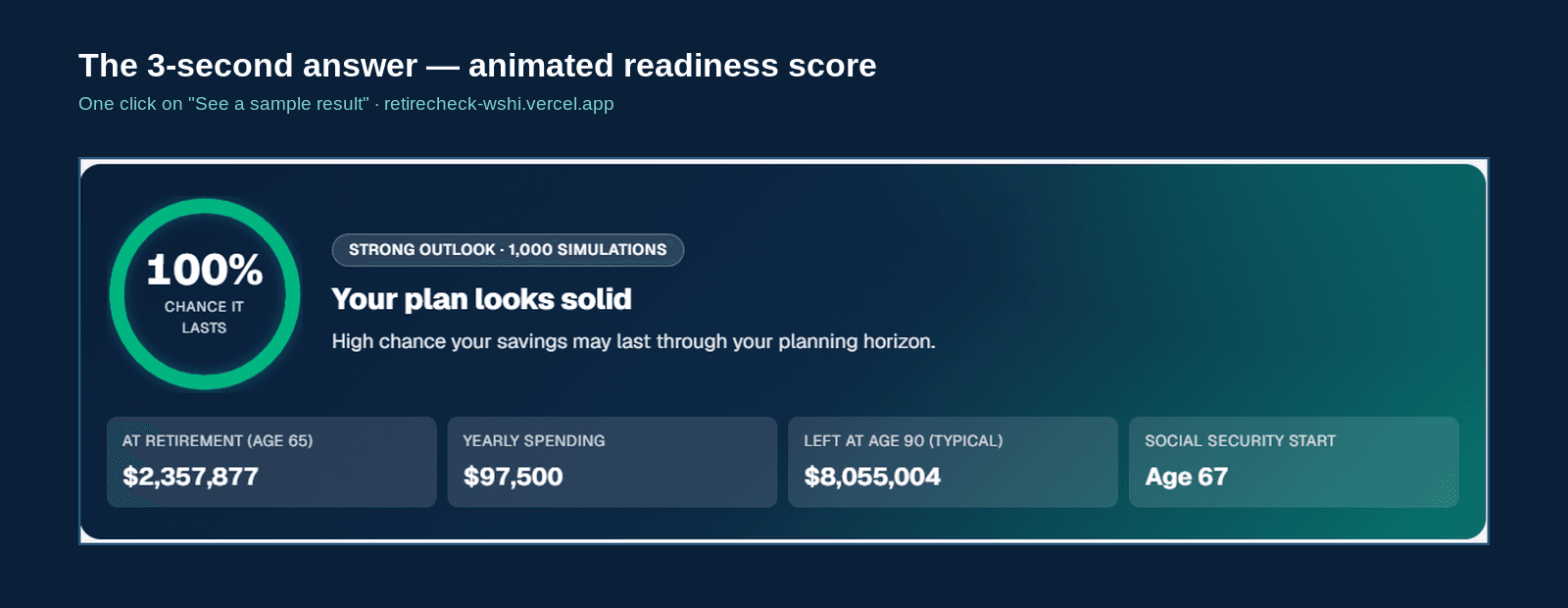
- One-click sample plan for first-time visitors
- Animated score gauge and shareable results summary
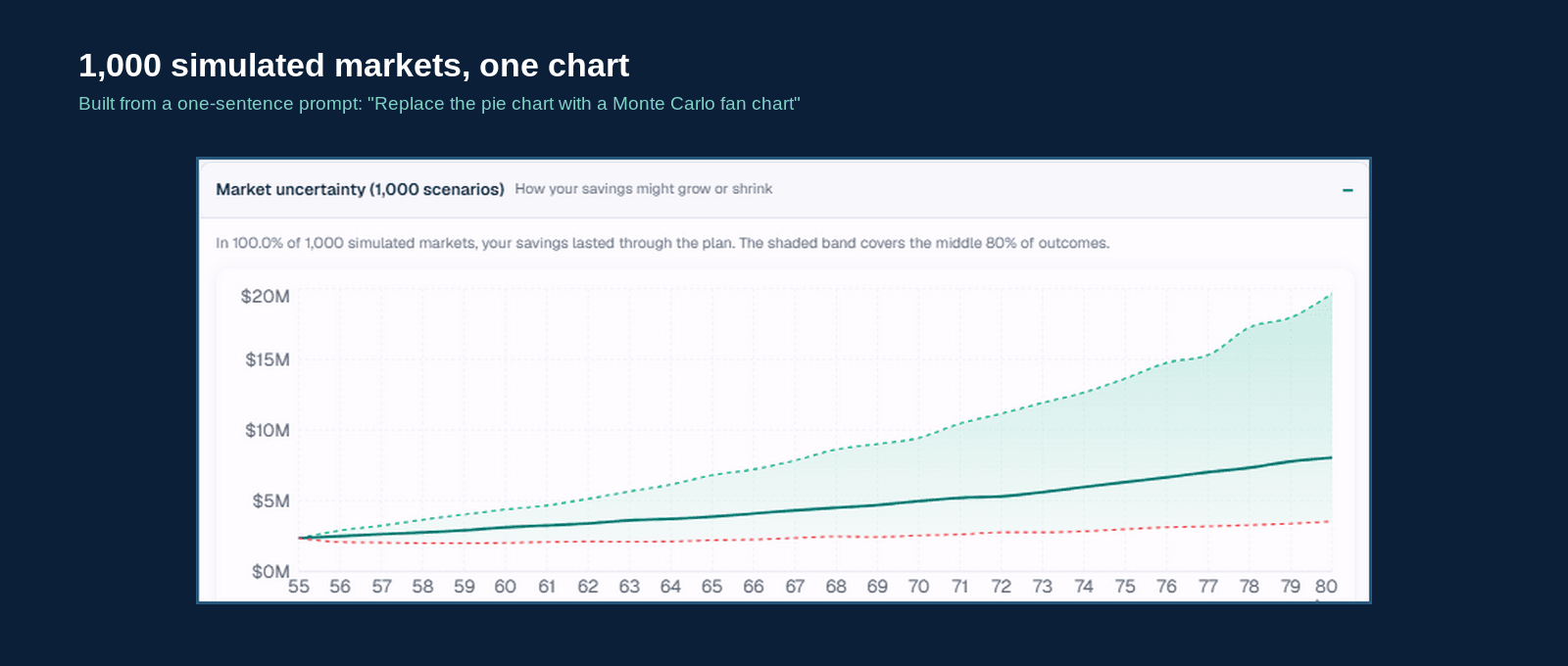
- Monte Carlo fan chart (P10–P90 band + median)
- SSA FRA lookup and tax / RMD / IRMAA context
- Live app on Vercel + API on Render
Lessons
- Write domain rules before accelerating UI with AI.
- Put correctness-critical logic where tests are natural.
- Disclaimers and empty/error states are product features.
- Document the loop: Build → Validate → Improve → Document → Share.
Limitations and future considerations
Estimates are educational, not advice. Broader tax jurisdictions, saved plans, and advisor export would only be added if real usage evidence justified the complexity. App-store packaging and monetization are explicitly out of scope for this case study.
Full delivery narrative: AI in Action: Building RetireCheck with Cursor.